On-page SEO is the work of improving each page of your website, including its content, HTML and links, so search engines and AI tools understand it and rank it higher. Unlike off-page SEO, which depends on backlinks and mentions from other sites, on-page SEO is fully in your control. If you’re new to the basics, start with my simple guide to SEO first.
This checklist has 16 steps. I use the same steps on client sites, from photographers to accountants to contractors. Work through them page by page, starting with the pages that matter most to your business, such as your home page, your main service pages and your contact page. If you want to see where you stand before you begin, my free SEO audit is a good first step, and my list of common on-page SEO mistakes shows what to avoid.
Key takeaways
- Content first: original, helpful pages that open with a direct answer.
- HTML basics: unique titles, descriptions, clean URLs and schema on every page.
- Links and images: compressed images with real alt text, plus relevant internal links.
- Technical checks: fast, mobile-friendly pages that are easy to crawl.
- Upkeep: review your key pages regularly instead of fixing them once.
Why does on-page SEO still matter with AI search?
Because AI tools and search engines pull from the same pages. A page that is clear, well organized and easy to crawl is easier for Google to rank and easier for ChatGPT, Gemini and Perplexity to quote. Weak pages give both of them little to work with.
I see this on client sites all the time. A photographer with a great portfolio but a vague title tag, no headings and unlabeled images is hard for any system to understand. Fixing those basics often does more than any new tactic, and it takes hours, not months.
What content should every page have?
Every page needs original content that answers a real question, written by someone who knows the subject. Start here, because no amount of tweaking can rescue a thin page.
- Write original, helpful content. Cover what your visitor actually needs, use your keywords naturally, and show real experience. That is the heart of E-E-A-T: experience, expertise, authoritativeness and trust. Long-tail phrases (specific, multi-word searches) are often easier to win and closer to what your customer types.
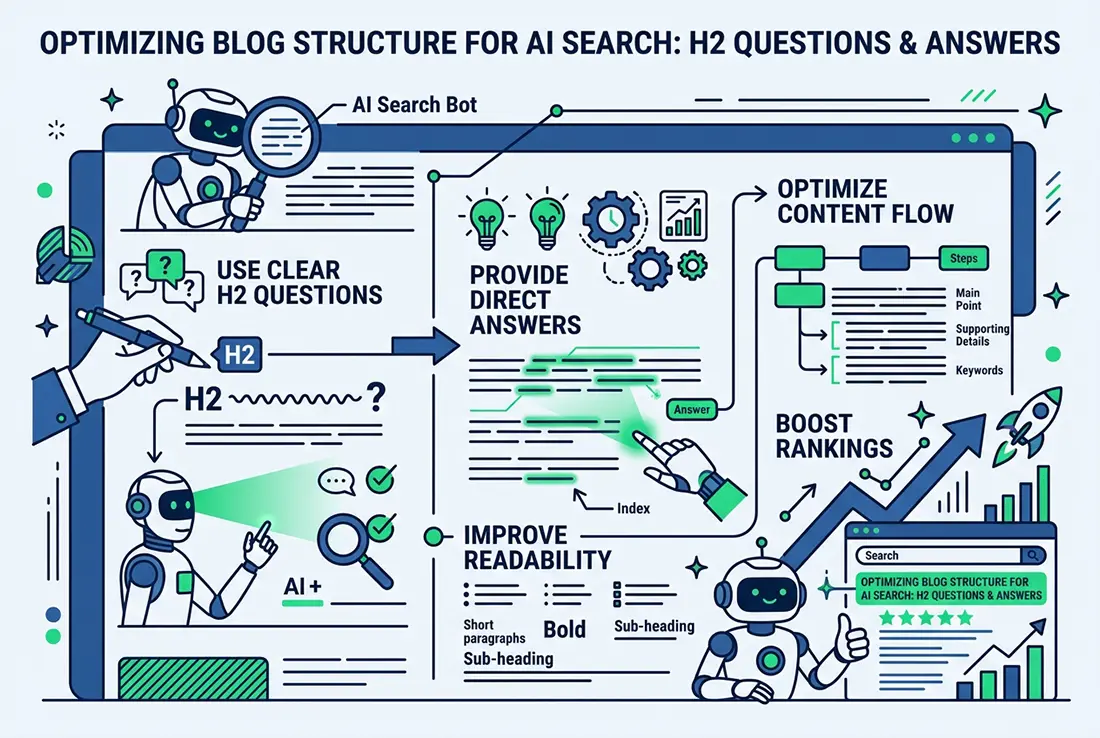
- Open sections with a direct answer. Put the answer in the first sentence or two, then explain. This helps you win featured snippets and gets your text quoted by AI tools. I explain the method in my guide to content chunking for AI search.
- Use header tags in order. Use one H1 per page, then H2 and H3 headings to organize the rest. Write headings as the questions your customers ask.
- Add a short FAQ section. Answer three to five real questions on key pages. An FAQ section can earn extra visibility in search and AI answers.
- Keep content fresh. Review your most important pages every few months. Fix outdated facts, remove old years and update prices and services.
Which HTML elements matter most for on-page SEO?
Five elements do most of the work: the title tag, meta description, URL, schema and canonical tag. Each one tells search engines what the page is about before they read a word of it.
- Write a unique title tag. Put the main keyword near the front and keep it under about 60 characters so it displays fully. Title tags are among the strongest on-page signals.
- Write a compelling meta description. Aim for about 155 characters that summarize the page and invite the click. Meta descriptions don’t directly affect rankings, but they strongly affect click-through rates.
- Use clean, readable URLs. Include the main keyword, separate words with hyphens and keep them short. Avoid years and extra words so the URL stays useful for as long as the page does.
- Add schema markup. Structured data tells search engines exactly what a page is: a business, an article, an FAQ. It can also make your listing eligible for rich results.
- Set a canonical tag. A canonical tag points search engines to the main version of a page, which prevents duplicate content problems when similar pages or URL variations exist.
How do images and links fit into on-page SEO?
Images and links help search engines understand your page and help visitors move through your site. Both are quick wins, because most sites handle them poorly.
- Optimize every image. Use descriptive file names, write plain alt text that describes what the image shows, and compress files so pages load quickly. WebP usually gives you much smaller files at similar quality. Alt text also helps visitors who use screen readers, so write it for people first and don’t stuff it with keywords.
- Link to your own pages with clear anchor text. Link each page to related pages so visitors can keep reading and search engines can see how your content fits together. Use anchor text that describes the destination. My guide to internal linking best practices covers it in detail.
Which technical checks belong on an on-page checklist?
Four checks keep a good page from being held back: speed, mobile design, user experience and a sitemap. They overlap with technical SEO, but you can check them page by page.
- Improve page speed. Compress images, minify code and use caching. Aim to pass Core Web Vitals: Largest Contentful Paint under 2.5 seconds, Interaction to Next Paint (INP) under 200 milliseconds and Cumulative Layout Shift under 0.1. A fast server response, or Time to First Byte, is where speed starts.
- Make the page mobile-friendly. Most visitors arrive on a phone, so text, buttons and images must work on a small screen.
- Improve the user experience. Use clear navigation and one obvious call to action. Skip tricks that hurt both visitors and speed, such as hero sliders.
- Submit an XML sitemap. A sitemap lists your important pages for search engines. Submit it in Google Search Console and check it for errors.
What should you do after the checklist?
Treat it as a routine, not a one-time project. Search results and AI answers keep changing, so recheck your top pages every few months, and read my SEO trends for 2027 to see where things are heading. If you’d rather hand the work off, I handle on-page SEO personally for clients across Los Angeles and beyond.
Frequently Asked Questions
What is the difference between on-page and off-page SEO?
On-page SEO covers things you control on your own site, such as content, titles, images and internal links. Off-page SEO covers signals from other sites, mainly backlinks, reviews and mentions. You need both, but on-page is the place to start because you can change it today.
What is the most important on-page SEO factor?
Helpful, original content that matches what the searcher wants. Titles, headings and schema all help, but none of them can make up for a page that doesn’t answer the question. Get the content right first, then polish the HTML around it.
How long does on-page SEO take to work?
Small fixes like titles and descriptions can show changes within a few weeks once Google recrawls the page. Larger gains from new content or restructured pages often take a few months. Results depend on your competition and how strong your site already is.
How often should I review my on-page SEO?
Review your most important pages every three to six months, and any page that has lost traffic. Check that facts, prices and links are still correct, and that titles and descriptions still match what people search for.
Is on-page SEO enough to rank?
It is enough for many local and low-competition searches, but not for every search. Competitive terms usually need strong backlinks and a trusted brand too. Think of on-page SEO as the foundation that makes everything else work.
Want a second set of eyes on your pages? I’ll record a free video SEO + GEO audit of your site, or you can read about my Los Angeles SEO agency plans. Call 818-244-3300 any time.